A MOMENT WORTH KEEPING
Make a little memory.
Add a photo, a date, and a few words. Let your location suggest a place name, or tap the dice for a fresh idea.
The café you stumbled into. The weekend you took the long way home. Keep the places, photos, and little stories you want to come back to.
THE EVERYDAY, A LITTLE BETTER
A simple home for the places you have been, whether they are across the world or just around the corner.
A MOMENT WORTH KEEPING
Add a photo, a date, and a few words. Let your location suggest a place name, or tap the dice for a fresh idea.
NEAR AND FAR
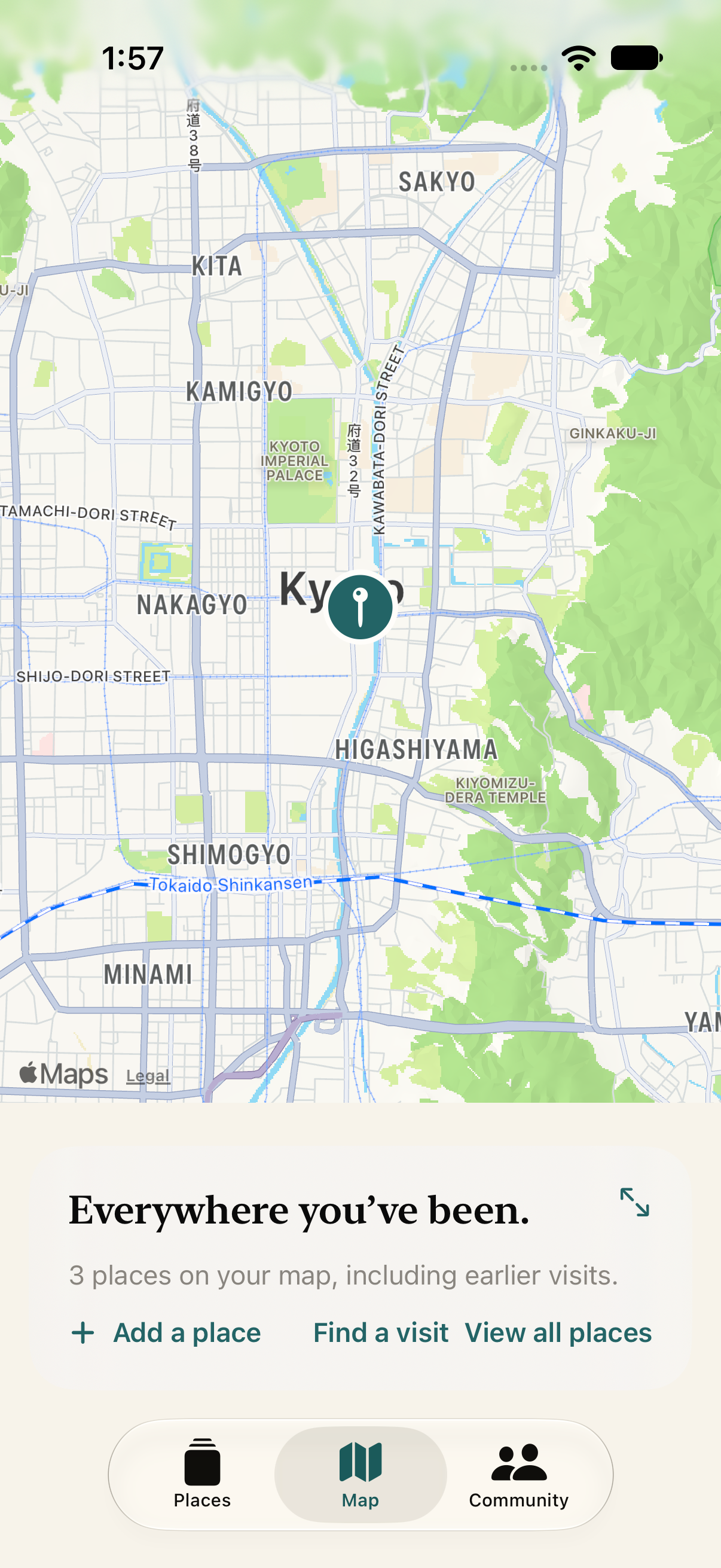
Pan, zoom, and tap your saved places. Jump straight to an earlier visit when you want a closer look.
YOUR PEOPLE
Find and follow friends to see their shared moments. Keep your own places personal, or share selected memories with your followers.
WORTH COMING BACK TO
Browse your collection and travel history, open the details of a memory, and keep its photo, note, and location together.
Product illustrations use sample data. App screens may vary.

Velira Travel, FOR YOUR EVERYDAY
You do not need a plane ticket to have a story worth saving. Start with a favorite corner of your own world.
Get in touch with Velira Travel supportA LITTLE HELP GOES A LONG WAY
A question about a saved place, your account, or something in Community? Send us a note. We’re here to help.
Contact support[email protected]Velira Travel is coming to iPhone. We’ll add a download link to this page when it is available.
New places are personal by default. You can choose to share a memory with your followers. Your Community feed brings together your shared moments and those from the people you follow.
Both are optional. When you add a place, location access can suggest its name and add a map pin. You can remove the location, search for another place, or save a note without a photo or location.
Use the reporting options on comments, or contact [email protected] with Velira Travel in the subject line. You can delete your account from About Velira Travel in the app.